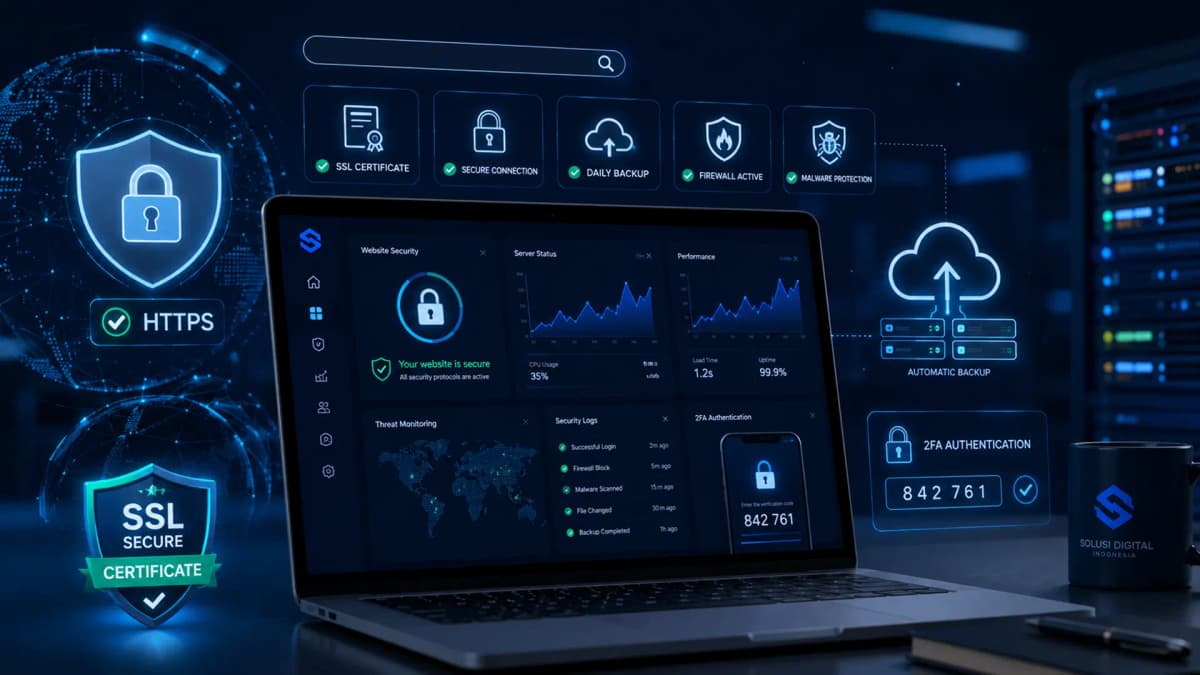
A business website is more than a marketing channel. It may contain administrator accounts, customer forms, payment connections, databases, APIs, and operational workflows. Protecting it requires a repeatable risk management process, not a single security plugin.
Key takeaway
Strong business website security is layered. Organizations should identify assets and sensitive data, restrict access, patch systems, encrypt connections, protect applications and infrastructure, maintain recoverable backups, monitor suspicious activity, and rehearse incident response. Each layer reduces the chance that one mistake becomes a major breach.
Why business website security cannot be postponed
Many owners assume attackers only target famous corporations. In practice, automated tools continuously scan public websites for outdated software, weak credentials, exposed services, insecure plugins, and configuration mistakes. An attacker does not need to know your brand before finding your website. A detectable weakness can make any organization a candidate.
The consequences are not limited to the IT department. A compromised website can stop online sales, interrupt appointment bookings, redirect visitors, distribute malware, expose customer records, or damage search visibility. Staff then lose productive time investigating the incident, restoring systems, answering customers, and reviewing legal or contractual duties.
Data protection also depends on governance. A company should know what information it collects, why it is needed, where it is stored, who can access it, which vendors process it, and when it should be deleted. Technical controls are most effective when they support clear privacy rules, ownership, and business accountability.
Operational risk
Downtime can block transactions, customer support, campaigns, and internal work.
Trust risk
Poor incident handling can weaken confidence among customers and business partners.
Data risk
A breach may expose contact details, credentials, documents, payment records, or private messages.
Common cyber threats facing business websites
Security priorities become clearer when the organization understands how websites are commonly abused. The following risks should be considered during a website security audit.
1. Administrator account takeover
Attackers may test passwords leaked from other services, automate guesses, steal browser sessions, or trick employees through phishing. Once inside an admin panel, they can create new users, modify payment details, install a backdoor, export data, or disable security tools. Shared accounts and missing multi-factor authentication make detection and containment harder.
2. Malware, backdoors, and malicious redirects
Malware can enter through vulnerable plugins, pirated themes, stolen hosting credentials, compromised developer devices, or unpatched servers. Some infections are designed to remain unnoticed. They may steal form data, inject spam pages, redirect mobile visitors, send fraudulent email, or preserve hidden access after the visible problem is removed.
3. Injection and unsafe input handling
Search boxes, login forms, checkout fields, file uploads, URL parameters, and API bodies all accept untrusted input. If the application handles that input unsafely, an attacker may alter database queries, run unwanted commands, or inject scripts into pages. Server-side validation, parameterized queries, output encoding, and strict file handling are core defenses.
4. Broken access control
A user should only access records and functions permitted by their role. Broken access control can allow one customer to view another customer's order, a regular employee to use an admin function, or an outsider to enumerate private documents. Authorization must be enforced on the server for every relevant request.
5. Security misconfiguration and supply chain weaknesses
Public storage buckets, open directories, verbose errors, default credentials, excessive database permissions, exposed dashboards, and secrets committed to source control are common configuration problems. Risk also comes from themes, packages, libraries, scripts, and vendors. Every dependency extends the website's attack surface and needs an owner.
6. Bots, credential stuffing, and availability attacks
Automated traffic can flood login pages, scrape content, submit form spam, abuse discount codes, test stolen credentials, or consume server resources. Rate limiting, bot management, a Web Application Firewall, a content delivery network, and well-designed authentication controls help reduce this pressure.
How to protect a business website with layered controls
Effective website cyber security follows defense in depth. When one control fails, another control should prevent escalation, reduce impact, create evidence, or accelerate recovery. The following practices apply to corporate websites, ecommerce stores, customer portals, booking systems, and custom web applications.
1. Inventory assets, data, dependencies, and access paths
Build a current inventory of domains, subdomains, servers, cloud accounts, content management systems, frameworks, plugins, APIs, databases, repositories, analytics tools, payment services, email platforms, and administrator accounts. Assign an owner to each asset and document how it is maintained.
Classify the data handled by the website. Public content does not need the same protection as identity documents, health information, payment records, authentication secrets, or private customer messages. Reduce unnecessary collection and retention. Data that is never collected cannot be stolen from your database.
2. Patch the entire technology stack
Security updates address known weaknesses. Review the operating system, web server, runtime, database, CMS, themes, plugins, libraries, container images, and build dependencies. Remove software that is unused or no longer supported. A disabled plugin may still be exploitable when its files remain on the server.
Updates should follow a controlled process. Test changes in staging, create a backup, record the release, confirm compatibility, deploy through approved access, and maintain a rollback option. This approach reduces both security risk and avoidable downtime.
3. Require MFA and enforce least privilege
Enable multi-factor authentication for website administration, hosting, cloud services, DNS, domain registrars, business email, code repositories, payment platforms, and backup systems. Use phishing-resistant options such as security keys or passkeys for highly privileged accounts when supported.
Give every user an individual account and only the permissions required for current duties. Temporary vendors should receive time-limited access. Remove former employees promptly and review privileged access on a schedule. Least privilege limits what an attacker can do with one compromised identity.
4. Use unique credentials and a business password manager
Reused passwords allow a breach at one service to spread to another. A managed password manager helps teams generate, store, and share credentials through controlled vaults rather than chat messages or spreadsheets. Custom applications should store user passwords with an appropriate password hashing method, never as plaintext or reversible encryption.
5. Enforce HTTPS and secure browser communication
HTTPS protects data while it travels between the browser and the server. Maintain valid certificates, automate renewal, and redirect all HTTP traffic. Configure cookies with Secure, HttpOnly, and suitable SameSite attributes. Test security headers such as Content-Security-Policy, HSTS, X-Content-Type-Options, and an appropriate Referrer-Policy.
A padlock icon does not prove that the application is safe. HTTPS cannot repair broken authorization, vulnerable code, poor password storage, exposed backups, or an unpatched server. It is essential, but it is only one layer.
6. Deploy a WAF, CDN, rate limits, and bot controls
A Web Application Firewall can identify and block many suspicious requests before they reach the application. A CDN can improve performance, absorb traffic spikes, and reduce direct exposure of the origin server. Rate limits should cover login attempts, password resets, OTP requests, expensive searches, form submissions, and API calls.
Security rules need tuning. Rules that are too weak provide little value, while aggressive rules may block legitimate customers or search engine crawlers. Review logs, begin in a monitoring mode when possible, document exceptions, and adjust controls based on real traffic.
7. Protect databases, encryption keys, and application secrets
Databases should not be publicly reachable unless there is a justified design requirement. Restrict connections by network, identity, and port. Use separate database accounts with minimum privileges. Encrypt sensitive stored data when appropriate, and keep encryption keys separate from the protected data.
API keys, private keys, tokens, passwords, and connection strings should not be hardcoded in source files or committed to repositories. Store them in environment-specific secret management systems and define a rotation procedure. A secret that cannot be replaced safely will eventually become an operational problem.
8. Secure forms, uploads, sessions, and APIs
Validate input on the server and apply allowlists where practical. Restrict file size, type, extension, storage location, and execution permissions. Rename uploaded files, scan them when the risk warrants it, and store them outside the web root when possible. Use CSRF protections for state-changing actions and output encoding to reduce script injection.
Each API endpoint should verify both authentication and authorization. Unpredictable record identifiers are not access control. Limit response fields, validate request schemas, expire tokens, support revocation, log sensitive actions, and apply rate limits based on identity and business function.
9. Integrate security into design and development
Secure web development starts before code is deployed. Use threat modeling to identify how a feature could be abused. Add peer review, dependency scanning, secret scanning, static analysis, dynamic testing, and focused manual tests according to the application's risk. Use the OWASP Top 10 as a baseline awareness resource, not a complete assurance program.
Separate development, staging, and production. Do not place unprotected copies of real customer data in test environments. Limit deployment access, protect the build pipeline, require review for sensitive changes, and preserve an audit trail showing who changed what and when.
10. Maintain isolated backups and test recovery
Back up databases, website files, configurations, encryption material where appropriate, and recovery documentation. Keep at least one copy isolated from production credentials so an attacker cannot delete every backup through the same compromised account. Encrypt backups and restrict access.
A backup is only useful when it can be restored. Run scheduled recovery tests and record the result. Measure how much data would be lost, how long restoration takes, which dependencies are required, and which steps still rely on undocumented knowledge.
11. Centralize logging, monitoring, and actionable alerts
Monitor failed logins, new administrator accounts, permission changes, plugin installation, file modifications, unusual database queries, DNS changes, traffic anomalies, server resource usage, and application errors. Synchronize system clocks so events can be correlated. Protect logs from unauthorized deletion or alteration.
Alerts should reach someone who can act. Excessive notifications create alert fatigue and hide important signals. Start with high-impact events, define escalation paths, test contact methods, and improve alert rules as the team learns the website's normal behavior.
12. Prepare and rehearse an incident response plan
An incident plan identifies decision makers, technical responders, legal and privacy contacts, communications owners, hosting providers, and critical vendors. Keep an emergency contact list outside the systems that may become unavailable during an attack.
- Confirm the warning signs and define the initial scope.
- Contain malicious access while preserving useful evidence.
- Remove malware, unauthorized accounts, and the root cause.
- Restore services from trusted sources.
- Rotate exposed credentials, tokens, certificates, and keys.
- Monitor for persistence or renewed access.
- Review the incident and improve controls.
When personal data may be involved, bring legal and privacy specialists into the assessment. Notification duties vary by jurisdiction, contract, and sector. Preserve a timeline of decisions, affected systems, known data exposure, containment actions, and communications.
13. Train employees and assess third-party risk
Security tools cannot compensate for every social engineering attack. Train staff to inspect domains, question urgent requests, report suspicious messages, use the password manager, protect recovery codes, and handle customer information correctly. Keep training short, role-specific, and connected to realistic workflows.
Review hosting companies, agencies, analytics platforms, payment gateways, customer support tools, marketing scripts, plugins, and other vendors. Contracts and operating procedures should address access, data use, incident reporting, backup, deletion, subcontractors, and offboarding. Outsourcing a service does not remove the associated business risk.
A practical 90-day website security roadmap
Most organizations cannot fix every issue at once. Prioritize systems exposed to the internet, privileged accounts, sensitive data, and functions that generate revenue or deliver essential customer services.
Days 1 to 30
Close critical gaps
- Inventory domains, servers, software, integrations, and accounts.
- Require MFA for privileged access.
- Patch systems and remove unused components.
- Review HTTPS, backups, and administrator permissions.
- Replace shared or reused credentials.
Days 31 to 60
Build repeatable controls
- Deploy WAF rules, rate limiting, and monitoring.
- Improve server configuration and security headers.
- Test a full backup restoration.
- Review vendor access and third-party scripts.
- Run vulnerability scans and address high-risk findings.
Days 61 to 90
Develop long-term resilience
- Document and rehearse incident response.
- Add security checks to the development pipeline.
- Define patching and access review schedules.
- Create management metrics for unresolved risk.
- Plan independent testing for critical applications.
Website security metrics that support better decisions
Leaders need measures that show whether risk is being reduced. Raw attack counts can be misleading because blocked noise does not always represent business impact. Track indicators that reveal control coverage, response speed, and unresolved exposure.
- Percentage of privileged accounts protected by MFA.
- Critical components that exceed the patch deadline.
- Mean time to detect and contain significant events.
- Successful backup restoration rate.
- Inactive accounts and excessive permissions found during reviews.
- Open high-risk findings and their remediation age.
When should a business involve a technical partner?
An internal team may handle routine updates but still need support when the architecture grows, incidents repeat, documentation is incomplete, or no one consistently owns monitoring and maintenance. External expertise can also help before launching payment features, connecting new APIs, migrating infrastructure, or recovering a compromised website.
Ask providers to define the scope. A vulnerability scan, security audit, penetration test, server hardening project, maintenance agreement, monitoring service, and incident response engagement are not the same. Request details about testing methods, prioritization, change control, access handling, backups, reporting, and remediation support.
PT Code Hero Indonesia provides website development, application development, custom software, and website maintenance services for organizations that need modern, scalable, and security-conscious digital systems. A useful engagement starts by understanding the business process, the existing technical environment, the data being handled, and the level of risk the organization can accept.
Start with risk and requirements, not a list of tools
If your website lacks a patching schedule, tested backups, clear access controls, or security monitoring, begin with a structured review. PT Code Hero Indonesia can discuss website development and maintenance needs in the context of your operations and growth plans.
Explore PT Code Hero Indonesia servicesFrequently asked questions about business website security
Is an SSL certificate enough to secure a website?
No. TLS protects data in transit between the browser and server. The website still needs patching, access control, secure code, input validation, backups, monitoring, database protection, and incident response.
How often should a business website be updated?
Check for updates routinely and respond quickly to fixes for critical vulnerabilities. Deployment timing should consider risk, compatibility testing, staging results, and the availability of a rollback plan.
Does a small website need a Web Application Firewall?
The decision depends on exposure and business impact. A WAF can reduce common automated attacks, but it does not replace secure configuration or fixing vulnerable code.
What are common signs of a hacked website?
Warning signs include unknown admin accounts, modified files, unexpected redirects, unusual server load, spam email, browser warnings, strange search results, disabled plugins, or unexplained traffic. A technical investigation is needed to confirm the cause and scope.
What should a company do first after discovering a data breach?
Contain unauthorized access, preserve evidence, activate the incident team, identify affected systems and data, and involve technical, legal, privacy, and communications specialists. Avoid destroying evidence before the scope is understood.
How much does business website security cost?
Cost varies with the technology stack, number of integrations, data sensitivity, infrastructure condition, monitoring requirements, and testing scope. An initial assessment helps direct budget toward the most important risks.
Technical references
This article is educational. Security controls should be tailored to each organization's architecture, data, business processes, contracts, and legal obligations.