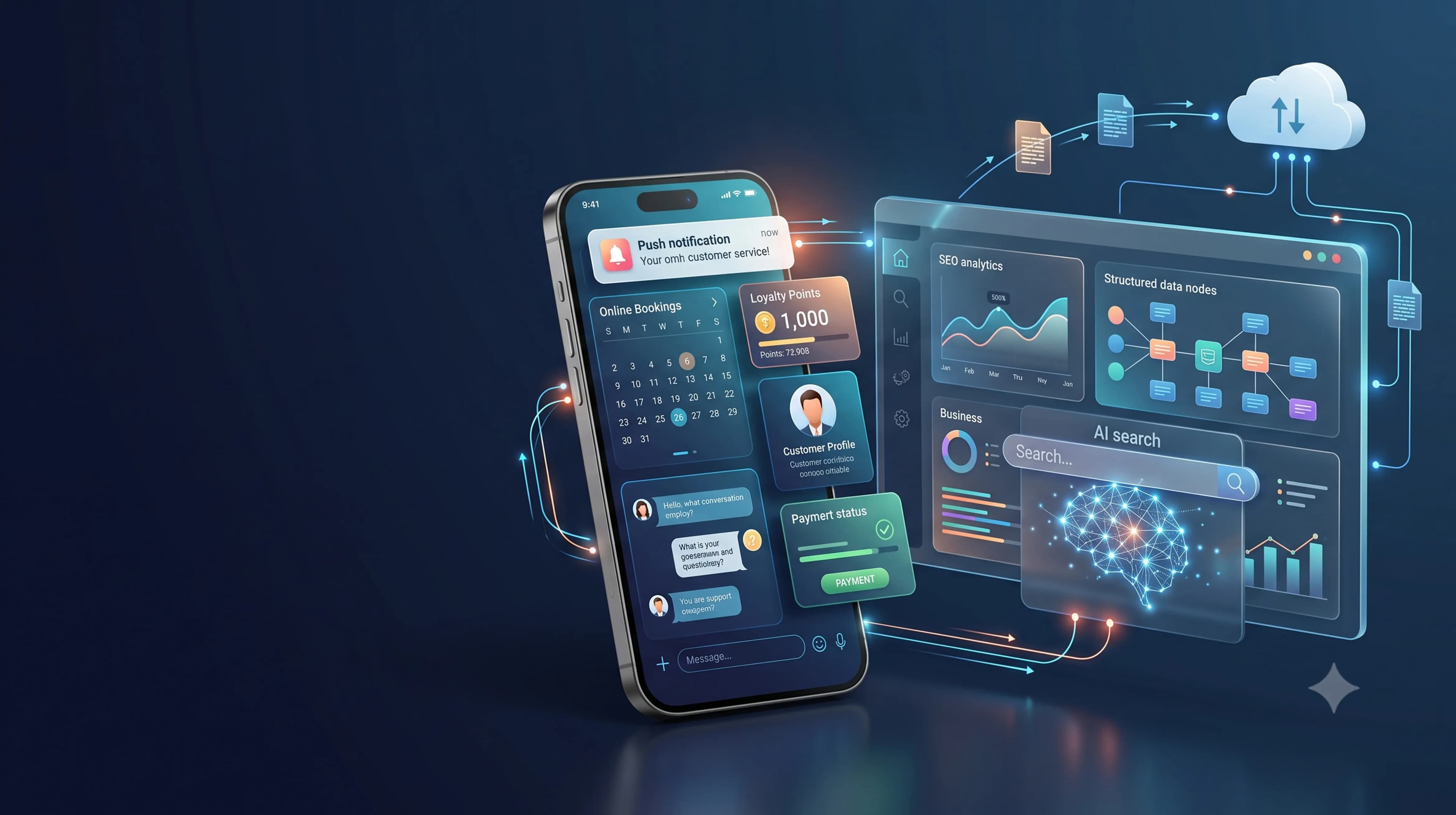
Customers want to book services, receive updates, make payments, and get support without unnecessary steps. A business mobile app brings these needs into one channel. It can provide online booking, push notifications, loyalty programs, transaction history, and customer support through a consistent experience.
Why Customer Service Needs a Mobile App
Many businesses still serve customers through disconnected channels. A customer finds information on social media, contacts an administrator through a messaging app, pays through another platform, and manually asks for a status update. This journey creates friction and increases the risk of errors.
A custom mobile app simplifies the process. Customers can complete key tasks without moving between platforms. The business also receives structured data about popular services, peak transaction periods, cancellation patterns, and recurring questions.
The value of an app does not depend on the number of features. A useful app solves a clear customer problem. The first release may focus on faster booking, order tracking, automated reminders, repeat purchases, or loyalty management.
What Is a Business Mobile App for Customer Service?
A business mobile app is an Android, iOS, or cross-platform application designed around a company’s service process. Unlike a generic product, a custom app can follow the business workflow, brand identity, transaction rules, data structure, access roles, and integration requirements.
The app can operate as a self-service center. Customers create accounts, select services, choose schedules, receive confirmation, pay, collect rewards, submit questions, and monitor progress. An admin dashboard helps staff manage users, schedules, transactions, promotions, content, and reports.
Core Features That Improve Customer Experience
1. Online Booking and Reservations
Customers can choose a service, branch, staff member, date, and available time. The system displays real-time slots, sends confirmation, and reduces double bookings. This feature is useful for clinics, salons, workshops, consultants, restaurants, rental businesses, and appointment-based services.
2. Push Notifications
Notifications can deliver appointment reminders, order status updates, service changes, expiring rewards, and important account information. Use segmentation so each customer group receives relevant messages. Excessive notifications encourage users to disable them.
3. Loyalty Programs and Rewards
An app can manage points, membership levels, vouchers, cashback, or referrals. Customers can view balances and redemption terms. Keep the program simple and connect it to a specific behavior, such as repeat purchases or customer referrals.
4. Customer Profiles and Service History
Booking history, transactions, payments, support requests, and rewards reduce the need to contact staff. Repeat booking or repeat order features also make frequent transactions faster. The business can use this data for more relevant personalization.
5. In-App Customer Support
A help center can include FAQs, ticket forms, live chat, WhatsApp integration, and complaint tracking. Ticket workflows help teams manage categories, priorities, response targets, and escalation in a measurable way.
6. Payments and System Integration
Payment gateway integration lets customers complete transactions inside the app. APIs can connect the app with CRM, ERP, POS, inventory, queue management, delivery, and analytics systems. Each integration should reduce duplicate work and maintain consistent data.
Business Benefits of a Custom Mobile App
Lower Customer Friction
Customers receive a clear journey from information discovery to transactions and after-sales service. Fewer unnecessary steps increase the chance that they complete the main action.
Higher Retention
Quick access, service history, reminders, and rewards help the business continue the relationship after the first transaction. This is especially useful for recurring services and purchases.
More Efficient Teams
Confirmations, reminders, status updates, and common answers can be automated. Employees can focus on cases that require judgment and human interaction.
Better Decisions from Data
App data shows frequently used features, abandonment points, transaction completion, promotion performance, and retention patterns. Teams can prioritize improvements based on evidence.
Stronger Brand Trust
A consistent interface, clear information, reliable security, and stable performance strengthen the brand experience. A slow or unreliable app produces the opposite result.
Businesses That Benefit from Customer Service Apps
- Clinics and healthcare providers for appointments, queues, reminders, and service history.
- Salons, spas, and fitness centers for schedules, memberships, packages, and rewards.
- Restaurants for ordering, delivery, vouchers, and order tracking.
- Retail and e-commerce businesses for catalogs, transactions, loyalty points, and after-sales support.
- Automotive workshops for service booking, estimates, progress updates, and maintenance reminders.
- Property, travel, rental, and professional services for consultations, reservations, documents, and status updates.
Businesses should consider how often customers interact. A responsive website or web app may be enough for occasional use. A mobile app is more suitable when frequent access, notifications, personalization, device features, or loyalty programs are central to the service.
How to Build an App Customers Will Use
Start with the Customer Problem
Identify the main obstacle. Booking may be slow, customers may repeatedly request updates, promotions may be poorly targeted, or loyalty data may be difficult to track. The problem should define the product scope.
Define a Measurable MVP
A Minimum Viable Product includes the core features needed to deliver value and test adoption. The first release may include customer accounts, booking, notifications, payments, and a basic admin dashboard. Expand it using real usage data.
Design the UI and UX Around Main Actions
Users should immediately understand what to do. Use simple navigation, short forms, clear labels, touch-friendly controls, and visible progress states. Test the prototype before full development.
Plan the Backend and Integrations
The product needs a backend, database, APIs, admin dashboard, access rules, backups, and monitoring. Architecture should reflect user volume, transaction frequency, business risk, and future growth.
Protect Security and Privacy
Apply secure authentication, access restrictions, input validation, session controls, activity logs, and regular updates. Collect only the data required for the service and explain how it is used.
Plan Maintenance
After launch, monitor crashes, failed transactions, compatibility issues, security risks, and performance. Operating system updates and third-party service changes may require additional releases.
Metrics That Show App Performance
Download volume alone does not prove business value. Connect app usage to service quality and commercial results. Monitor:
- Daily and monthly active users.
- Registration, booking, and payment completion rates.
- User retention after 7, 30, and 90 days.
- Repeat purchase frequency and transaction value.
- Usage of points, vouchers, referrals, and rewards.
- Support response and ticket resolution time.
- Cancellation rates, transaction failures, and crashes.
- Customer satisfaction after service completion.
Common Mistakes to Avoid
Common mistakes include adding too many features to the first release, copying a competitor, ignoring the admin dashboard, and failing to plan integrations. The scope grows while internal work remains manual.
Businesses also overlook maintenance and adoption. Customers need a clear reason to use the app, such as faster service, repeat ordering, access to history, exclusive rewards, or priority support.
When Is Custom Development the Right Choice?
Ready-made platforms can support simple and standardized requirements. Custom development is more suitable when the business has a specific service workflow, needs internal system integration, requires greater control over data, or plans long-term product development. The company can define features, architecture, visual identity, access rules, and a staged roadmap.
Build a Mobile App with PT Code Hero Indonesia
PT Code Hero Indonesia provides custom mobile app development for businesses and startups. A project may include requirement analysis, feature planning, UI/UX design, Android and iOS development, backend systems, APIs, admin dashboards, testing, deployment, and maintenance.
Explore our mobile app development services, review the Code Hero portfolio, or browse our digital development services.
The Code Hero team prioritizes features according to business impact. This approach supports an app that remains relevant to customers and can grow with the company.
Frequently Asked Questions
Does every business need a mobile app?
No. An app is most useful when customers interact frequently, need quick access, make bookings or transactions, receive updates, or join a loyalty program.
Which features should be developed first?
Prioritize the features that solve the largest customer obstacle, such as booking, order status, notifications, payments, or service history. Start with an MVP and expand it using usage data.
Can an app connect to existing business systems?
Yes. A custom app can connect through APIs with CRM, ERP, POS, payment gateways, booking platforms, inventory systems, and operational dashboards when secure integration is supported.
How should app success be measured?
Track active users, booking completion, repeat purchases, retention, loyalty usage, response time, failed transactions, app stability, and customer satisfaction.
Ready to Make Customer Service More Convenient?
Discuss your service process, customer needs, and business goals with PT Code Hero Indonesia. Our team can help define a realistic, secure, and scalable scope for your custom mobile application.
Discuss Your Business App