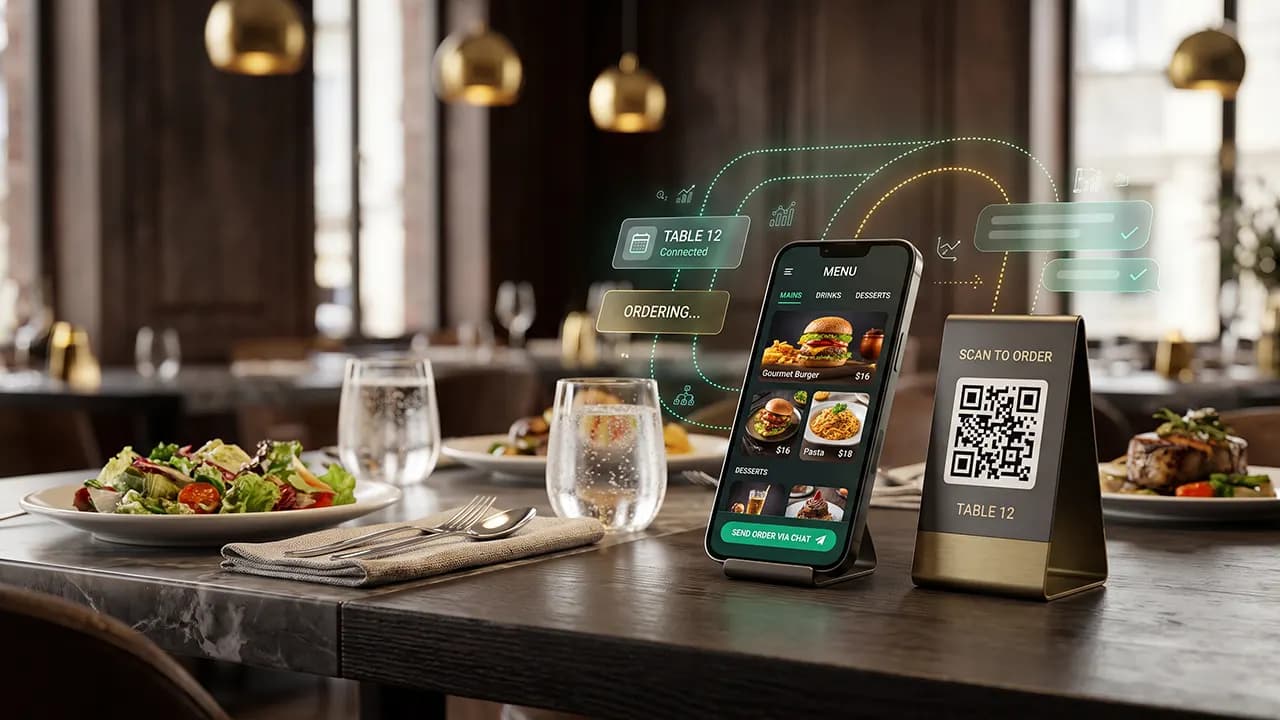
A practical guide to digital restaurant menus, table-based WhatsApp ordering, operational data collection, performance metrics, and data-driven business decisions.
Why Restaurants Are Moving Toward Digital QR Code Menus
Restaurant operations are changing as customers become increasingly comfortable using smartphones to access information, communicate with businesses, and complete everyday transactions. Traditional printed menus still have an important role in hospitality, but digital alternatives offer opportunities to improve menu accessibility, simplify information updates, and create more structured ordering experiences.
A restaurant digital menu allows customers to view food and beverage options by scanning a QR Code placed on their table. Instead of waiting for a printed menu, guests can access product photographs, descriptions, prices, available variations, and promotional information directly from their mobile devices.
However, simply displaying a menu online does not automatically improve restaurant operations. A more valuable approach is to connect the digital menu to a practical ordering channel, such as WhatsApp, while ensuring that every table has its own identifiable ordering link.
Recent hospitality research helps explain why digital-menu quality matters. Ashrafi et al. (2026), in From Paper to Pixels: Modeling the Factors of Consumers’ Dining Satisfaction with Digital Menus in Restaurantscapes, examined digital-menu use among U.S. restaurant patrons. The researchers used online survey data and partial least squares structural equation modeling (PLS-SEM) to examine perceived information quality, system quality, interactivity, social influence, task simplicity, task performance, and perceived hygiene in relation to customer satisfaction and behavioral intentions. The article appeared in the International Journal of Hospitality Management, 133, Article 104520. Read the study.
A 2024 study by Urumutta Hewage, Boman, and Lefebvre, published in the Journal of Hospitality and Tourism Management, found in two studies that QR code menus could reduce customer loyalty compared with traditional menus because customers perceived them as inconvenient. The effect also varied according to customers’ need for interaction with service employees. The findings do not mean that every QR menu reduces loyalty. They show why restaurants should design simple mobile experiences and retain a printed-menu or staff-assisted option for guests who prefer personal service. Read the study.
Restaurants therefore need to consider digital menus as part of a broader service strategy. The objective should be to make information easier to access, orders easier to communicate, and operational decisions easier to evaluate through reliable data.
What Is a QR Code Menu with WhatsApp Table Ordering?
A QR code restaurant menu is a web-based menu that customers can access by scanning a unique code using their smartphone camera or QR scanning application. The code directs customers to a restaurant website where food and beverage information is displayed in a mobile-friendly format.
WhatsApp table ordering adds another layer to this process. Each table receives a unique identifier, allowing the website to prepare a WhatsApp message that includes the table reference and selected products. For a production system, the website should validate the table reference against a server-side table record. A value that customers can edit in a URL should not serve as trusted proof of table identity.
For example, a customer sitting at Table 08 scans the QR Code, opens the menu, selects two meals and two drinks, and presses the WhatsApp ordering button. WhatsApp then opens a conversation with the restaurant's business number and prepares an order message containing the table identifier.
Example of a digital ordering journey
- The guest scans the QR Code on Table 08.
- The restaurant's digital menu opens.
- The guest browses products and selects items.
- The website prepares an order summary.
- The guest taps the WhatsApp ordering button.
- WhatsApp opens with a pre-filled message.
- The guest sends the message to the restaurant.
- Staff confirms the order and forwards it for preparation.
WhatsApp's official Click to Chat feature lets a customer open a conversation without saving the restaurant's phone number first. A link can also include URL-encoded text that appears in the message field. The customer still needs to review and send the message. See the WhatsApp Help Center guide to Click to Chat for the current link format.
One technical distinction is important. Opening a WhatsApp conversation does not mean that the customer has sent a message or that the restaurant has received an order. The customer must still press the send button. A standard Click to Chat link cannot confirm message delivery, order acceptance, or payment. Restaurants that need automated message handling, approved message templates, webhooks, centralized conversations, or integration with an order management system may consider the WhatsApp Business Platform or a suitable integration partner. Capabilities, setup requirements, and costs depend on the selected implementation.
This makes the QR menu and WhatsApp combination suitable for different restaurant sizes. Small businesses can begin with a straightforward website and Click to Chat links, while larger operations can gradually introduce automation and deeper integrations.
Key Benefits of Connecting QR Menus to WhatsApp
1. Faster access to restaurant information
Customers can explore the menu without waiting for a staff member to bring a printed menu. Product information can be organized into clear categories, helping guests compare food options and make decisions more comfortably.
2. Better table identification
A unique QR Code for each table helps identify where an order originates. When the table identifier is included in the WhatsApp message, restaurant staff can reduce unnecessary clarification and route orders more accurately.
3. Easier menu updates
Restaurants can update prices, product descriptions, photographs, and availability through a website administration panel. Since the QR Code points to a web address, the restaurant does not need to print new codes whenever menu information changes.
4. More structured customer interactions
Pre-filled WhatsApp messages can include table numbers, selected products, quantities, and customer notes. This creates a more consistent starting point for conversations between guests and restaurant staff.
5. Better access to operational insights
Digital systems can record menu visits, product interactions, WhatsApp button clicks, confirmed orders, and completed transactions. When these events are connected to sales records, restaurants gain a clearer picture of their operational performance.
6. More informed promotional decisions
Product recommendations, meal combinations, and promotional placements can be evaluated using customer behavior and transaction data. Rather than relying entirely on assumptions, managers can identify which products attract attention and which actually generate sales.
Step-by-Step Guide to Implementing a Restaurant QR Menu
A successful implementation starts with understanding the restaurant's operational requirements. Technology should support existing workflows and address actual service problems rather than create unnecessary complexity.
Step 1: Assess the Existing Ordering Process
Begin by mapping the current customer journey. Observe how guests receive menus, select products, communicate orders, receive confirmations, and complete payments.
Identify recurring issues such as delayed menu distribution, incorrect table identification, inconsistent product information, handwritten order errors, or difficulties handling incoming requests during busy periods. These observations will help define the system's actual requirements.
Step 2: Collect the Restaurant's Menu Information
Before creating the digital menu, gather all available product information and organize it into a central menu database. Avoid entering incomplete information directly into the website.
The information should include:
- Product names and unique product identifiers.
- Food and beverage categories.
- Current selling prices.
- Product photographs.
- Descriptions and ingredients.
- Portion sizes and available variations.
- Allergen information where relevant.
- Availability and stock status.
- Promotional items and recommended combinations.
A centralized menu database helps ensure that the website, ordering interface, and administrative dashboard use consistent information. It also provides a reliable foundation for later sales analysis.
Step 3: Clean and Standardize the Menu Data
Raw menu information may contain inconsistent product names, duplicate entries, outdated prices, incomplete descriptions, and products that are no longer available. These issues should be resolved before the data enters the system.
Data cleaning involves identifying and correcting errors, removing unnecessary duplication, standardizing formats, and checking whether information is complete.
A practical cleaning process includes:
- Standardizing product names and category labels.
- Using consistent currency and price formats.
- Removing discontinued products.
- Checking duplicate product records.
- Verifying photographs against actual products.
- Completing missing product descriptions.
- Checking availability information.
- Assigning unique identifiers to menu items.
Consider a restaurant that lists the same dish as "Special Fried Rice," "Fried Rice Special," and "Special Nasi Goreng." If these entries represent one product, they should be standardized under one product identifier.
This matters because inconsistent product information can distort sales reports. A dashboard may incorrectly interpret one product as three different items, making it difficult to identify actual customer preferences.
Step 4: Build a Responsive Digital Menu Website
The menu should be delivered through a responsive website that works comfortably on smartphones, tablets, and desktop browsers. Mobile usability should receive particular attention because most table-based QR menu interactions begin on a customer's phone.
Essential website components include:
- Restaurant branding and basic information.
- Clearly organized food categories.
- Product photographs and descriptions.
- Readable prices and product variations.
- Availability indicators.
- Search and navigation functions.
- Featured products and meal recommendations.
- A visible WhatsApp ordering button.
A good digital menu should load quickly, use readable typography, and provide a straightforward navigation experience. Large images should be optimized, and unnecessary visual effects should be avoided if they affect loading performance.
Step 5: Generate Unique QR Codes for Each Table
Each table should have a unique identifier that the website can resolve. Table 01 and Table 02 can open the same menu while carrying different table references. A simple parameter such as ?table=08 is easy to implement, but a visitor can edit that value manually.
Example URL using an opaque table token:
https://restaurant.com/menu?t=UNIQUE_TABLE_TOKEN
For a more reliable implementation, generate a unique, hard-to-guess token for each table and map it to the table record on the server. Validate the token before adding the table reference to an order. Treat the token as an identifier, not as proof that a customer is physically seated at that table. Staff should still verify the table and order before preparation. This approach allows one menu website to serve many tables without creating a separate menu page for each table.
Print QR Codes with sufficient contrast, place them where customers can scan them easily, and test every code before deployment. Confirm that each token resolves to the intended table and that staff can identify the table correctly in the resulting order.
Step 6: Connect the Menu to WhatsApp
WhatsApp Click to Chat can open a conversation with the restaurant. Use the destination number in full international format. Follow WhatsApp's instructions and omit the leading plus sign, trunk prefix, spaces, brackets, and dashes from the number in the link.
Example link structure:
https://wa.me/62XXXXXXXXXXX?text=Hello%20I%20am%20at%20Table%2008
The website can dynamically prepare a message based on the selected items. For example:
Hello, I would like to place an order from Table 08.
1. Special Fried Rice - 2 portions
2. Iced Tea - 2 glasses
Please confirm my order. Thank you.
A simple shopping cart can make the process easier by collecting selected items and generating a structured, URL-encoded message. Customers should be able to review the item names, quantities, prices, table reference, and notes before opening WhatsApp. The restaurant should then confirm availability and the final order total before preparation.
Restaurants with more complex operations may consider WhatsApp Business Platform integrations to support approved automation, centralized messaging, and connections with other operational applications. The appropriate solution depends on message volume, workflow requirements, platform policies, integration costs, and staffing capabilities. Review the official WhatsApp Business Platform information before selecting an implementation.
Step 7: Develop an Administrative Dashboard
A restaurant website should provide an administrative interface for authorized staff. Through this dashboard, managers can add products, update prices, upload photographs, manage categories, and change availability status.
Additional reporting features can display order volumes, popular products, revenue, and performance by date or table. These reports provide managers with more structured information for operational reviews.
Step 8: Test the Complete Ordering Journey
Test the system across different smartphones, browsers, and network conditions. Verify that every QR Code identifies the correct table, the menu loads correctly, the WhatsApp button opens the intended business account, and the pre-filled message contains accurate product details.
Step 9: Train Staff and Launch Gradually
Staff should understand how to receive WhatsApp orders, identify tables, confirm customer selections, communicate unavailable products, and update order status. A gradual rollout allows the restaurant to identify problems before deploying the system across the entire dining area.
How to Collect Data from a Restaurant QR Menu
One of the most valuable advantages of a digital menu is its ability to generate operational data. When properly implemented, the system can help restaurant managers understand how guests interact with menu information and how those interactions relate to actual orders.
A restaurant website normally records a menu visit when a customer scans a QR Code and the browser opens the destination page. The website can log that landing-page request, together with a table reference, timestamp, and other necessary event information. The website does not automatically know that a camera scanned the code if the customer never opens the link. If a restaurant uses a dynamic QR service, that provider may offer a separate scan metric. Do not treat QR scans and website landing-page sessions as interchangeable measures.
The website can record additional events when customers open menu categories, view product details, add items to a cart, or click the WhatsApp ordering button. These events require deliberate analytics instrumentation. Define what counts as a product view or cart addition, use consistent event names, and filter internal tests and automated traffic where appropriate. Analytics tools can measure only the events that the website or integration actually sends.
Actual WhatsApp messages and confirmed orders should be tracked separately. With a basic Click to Chat implementation, the website can record that a customer clicked the WhatsApp button, but that click does not prove that the customer sent the message. Staff order records or an integrated order management system should capture whether the restaurant received, confirmed, prepared, and completed the order. A supported WhatsApp Business Platform integration may provide additional message events through its approved integration and webhook capabilities.
Restaurants can therefore combine website analytics with staff order records or an integrated order management system. If a supported WhatsApp Business Platform integration is available, additional conversation events can also be incorporated into reporting.
Useful data categories include:
- QR-linked menu landing-page sessions, not assumed camera scans.
- Validated table references and landing-page timestamps.
- Category and product page views.
- WhatsApp ordering button clicks.
- Messages actually received.
- Orders confirmed by restaurant staff.
- Completed and paid transactions.
- Units sold and total sales revenue.
- Average response time.
- Product availability and stock changes.
These records can be organized in a database and converted into daily, weekly, and monthly reports. The important objective is to create a reliable connection between digital interactions and real operational outcomes.
Cleaning Restaurant Data Before Analysis
Data collection alone does not guarantee reliable business insights. Duplicate messages, inconsistent product identifiers, incomplete transaction records, inconsistent time zones, and testing activity can distort analytical results. Assign stable identifiers to menu sessions, orders, and products wherever the system supports them.
The first step is to separate different event types. Menu landing-page sessions, product views, WhatsApp clicks, messages received, confirmed orders, and completed payments should each have their own event definitions. Document the event name, trigger, timestamp source, identifier, and responsible system so that staff and analysts interpret the records consistently.
The second step is duplicate detection. A customer may send the same order twice because the first message appears to have failed. The restaurant should have a consistent process for determining whether the second message represents a duplicate or a new order.
Third, standardize product and order identifiers. Each menu item should have a stable internal identifier even when its public-facing name changes. Each confirmed order should also have a unique order reference so staff can distinguish a duplicate message from a new transaction. This allows historical sales information to remain connected to the correct product and order.
Fourth, check missing information. Orders without reliable timestamps, validated table references, payment values, or completion status should be flagged before they enter performance calculations. Apply one reporting time zone and a consistent rule for handling cancelled, refunded, unpaid, and partially paid orders.
Finally, exclude internal testing and staff activity from customer behavior reports. Testing visits should not be interpreted as genuine demand.
Data cleaning should be performed regularly rather than only once during the initial implementation. A consistent process makes restaurant reporting more accurate and supports better comparisons over time.
Choosing the Right Performance Metrics
Once the data has been collected and cleaned, restaurant managers need to select meaningful performance indicators. The most useful metrics are those that connect directly to service quality, customer behavior, and business performance.
| Metric | Calculation | Business Purpose |
|---|---|---|
| WhatsApp Click Rate | Unique eligible menu sessions with at least one WhatsApp click / eligible menu sessions × 100% | Measures the share of eligible menu sessions that click the WhatsApp link. |
| Order Conversion Rate | Unique eligible menu sessions with at least one confirmed order / eligible menu sessions × 100% | Measures the share of eligible menu sessions that lead to confirmed orders. |
| Average Order Value | Revenue from paid orders / number of paid orders | Measures average transaction value. |
| Product Popularity | Total units sold for each product during the reporting period | Identifies high-demand products. |
| Average Response Time | Sum of first-reply delay / number of messages with a first reply | Measures staff responsiveness. |
| Revenue per Table Session | Net revenue attributed to completed table sessions / number of completed table sessions | Compares table-level performance. |
For these calculations, eligible menu sessions should exclude known staff tests and filtered automated traffic. Use a consistent session identifier and attribution window. Consider a restaurant that records 500 eligible digital menu sessions in one week. Of these, 150 distinct sessions include at least one WhatsApp button click and 120 distinct sessions lead to at least one confirmed order.
The WhatsApp Click Rate is 30%, while the Order Conversion Rate is 24%. These are illustrative calculations rather than actual business results. The example counts sessions, not raw button-click events or individual order lines, so repeated clicks within one session do not inflate the rate.
This distinction matters because the two metrics answer different questions. Click Rate measures whether customers initiate an order conversation. Order Conversion measures whether a menu session leads to a confirmed order. Define the attribution window and the meaning of a confirmed order before comparing results across weeks or branches.
Managers should also define consistent reporting periods and calculation methods. For Average Order Value, decide whether revenue includes tax, delivery fees, discounts, and refunds, then apply the same rule to every period. For Average Response Time, calculate the elapsed time only for messages with a recorded first reply, report unanswered messages separately, and consider the median as well as the mean because a few long delays can distort the average. For Revenue per Table Session, define when a table session starts and ends and how split bills, reopened tables, and refunds affect attribution. Comparing weekly performance is meaningful only when the same definitions and data procedures remain in place.
Reading Customer Behavior Patterns from Digital Menu Data
The next stage is interpreting the collected information. A useful analysis does not simply identify the most popular product. It examines how customers interact with the menu, when they place orders, which products attract attention, and where they stop during the ordering process.
1. Analyze Ordering Patterns by Time
Compare menu activity and confirmed orders across lunch, afternoon, and dinner periods. These patterns can help managers plan staff schedules, prepare ingredients, and identify opportunities for time-specific promotions.
2. Compare Product Views with Actual Sales
A product with many recorded views but relatively few confirmed orders deserves further investigation. Possible reasons include unclear descriptions, unattractive photographs, pricing concerns, or unavailable stock. A product with fewer views but strong sales may benefit from more prominent placement. Treat views as interaction data, not proof of purchase intent, and compare them with confirmed sales and stock availability.
3. Evaluate Table-Level Performance
Table-level reports can reveal differences between indoor seating, outdoor areas, and other restaurant sections. However, managers should consider table capacity, customer group size, and visit duration before comparing revenue across locations.
4. Identify Drop-Off Points
Follow the customer journey from QR scanning to menu browsing, product selection, WhatsApp interaction, order confirmation, and payment. If a significant number of customers stop at one stage, investigate the reasons before changing the entire system.
5. Identify Product Combinations
Analyze which food and beverage items frequently appear in the same transaction. These combinations can provide opportunities to create meal packages, recommend complementary products, or improve menu organization.
Turning Data Insights into Better Restaurant Decisions
Analytics only becomes valuable when findings are translated into practical decisions. Managers should avoid making changes simply because a metric increases or decreases. Every decision should be connected to an identified business problem and a measurable outcome.
If a product receives many views but generates few orders, review its photographs, descriptions, pricing, and availability. If customers frequently click the WhatsApp button but few orders are confirmed, examine the message format, customer experience after opening WhatsApp, and staff response time.
If order volumes increase significantly during lunch, consider adjusting staffing levels or preparing ingredients earlier. If a product repeatedly becomes unavailable before the end of service, use historical demand to improve inventory planning.
Restaurants can also conduct controlled experiments. For example, a manager may compare two product photographs or menu placements using comparable customer groups or randomized variants where the system permits. If the restaurant compares different time periods instead, it should account for changes in promotions, prices, stock availability, weekday, customer traffic, and seasonality. A simple before-and-after comparison can identify a pattern, but it does not by itself prove that the menu change caused the result.
A practical decision-making process follows five stages: collect information, clean the records, define metrics, interpret patterns, and take action. The results of each action should then be monitored to determine whether the change actually improves performance.
A Practical Example of Restaurant Data Analysis
Imagine a restaurant with 20 tables that has been using a digital QR menu for one month. Its dashboard shows that grilled chicken receives the highest number of product page views. However, fried rice generates the highest number of confirmed sales.
Further analysis reveals that customers frequently view grilled chicken but do not proceed because the available meal packages are not clearly explained. Fried rice, on the other hand, has straightforward pricing and several portion options.
The manager decides to improve the grilled chicken descriptions, update the product photographs, and clarify available meal combinations. Performance is then monitored during the following reporting period.
The restaurant also discovers that the largest number of incoming orders occurs between 12:00 p.m. and 1:30 p.m. Staff responsibilities are adjusted to ensure that WhatsApp messages are handled more efficiently during peak hours.
This example demonstrates how a digital menu can become more than an online product catalogue. It can serve as an operational information source that helps restaurants understand customer preferences and improve service decisions.
Common Mistakes to Avoid When Implementing QR Menus
- Printing QR Codes without testing them.
Incorrect links or table identifiers can send orders to the wrong location or create unnecessary confusion.
- Displaying outdated menu information.
Incorrect prices and unavailable products can damage customer trust.
- Creating an unnecessarily complicated interface.
Slow pages and confusing navigation can discourage customers from completing an order.
- Treating WhatsApp clicks as completed orders.
A click, sent message, confirmed order, and completed payment are different events and must be measured separately.
- Making QR ordering the only available option.
Some guests may have limited digital access, accessibility needs, low battery power, weak connectivity, or a preference for staff interaction. Keep a printed menu or staff-assisted ordering option available.
- Collecting data without a clear process.
Inconsistent records make reporting less reliable and can lead to poor business decisions.
- Ignoring staff training.
Even a well-designed system can fail if employees do not understand how to receive, confirm, and process orders.
Data Privacy and Security Considerations
Digital ordering systems may process information relating to customers, their communication activities, table visits, and purchases. Restaurants should establish clear data management practices before collecting or sharing this information.
Collect only information that the restaurant needs for a defined service or business purpose. If the system requests a customer's name, telephone number, or other identifying information, explain why the information is required, how the restaurant will use it, and how long it will retain it. Provide an appropriate privacy notice and identify the applicable legal basis for processing. Explain relevant sharing with WhatsApp, hosting providers, analytics services, and integration partners. Do not assume that a WhatsApp button click gives the restaurant permission to use a customer's data for unrelated marketing.
Restrict administrative access according to employee responsibilities. Kitchen staff, cashiers, managers, and system administrators may need different access rights. Use secure authentication, review access periodically, and establish procedures for handling data requests and security incidents.
For businesses operating in Indonesia, review the obligations under Law Number 27 of 2022 concerning Personal Data Protection. The law covers personal-data processing, the rights of data subjects, and obligations of personal data controllers and processors. Businesses should assess their actual data flows and seek qualified legal advice where needed. International businesses should also review the rules that apply in their operating locations.
Website security, HTTPS, database backups, access controls, appropriate retention periods, processor agreements, and regular software maintenance should form part of a restaurant digitalization project. Configure analytics and cookies in line with the notice, consent, or other lawful-basis requirements that apply to the restaurant and its visitors.
A 30-Day Implementation Roadmap
A gradual implementation strategy can reduce disruption and provide sufficient time to evaluate the system before expanding it across the entire restaurant.
Week 1: Planning and Data Preparation
Review existing operations, identify customer service challenges, collect menu information, and standardize product records.
Week 2: Website and Integration Development
Develop the digital menu, administrative dashboard, unique table QR Codes, and WhatsApp ordering links.
Week 3: Testing and Staff Training
Test the ordering journey, verify table identification, review message accuracy, train employees, and resolve technical issues.
Week 4: Launch and Performance Evaluation
Expand system usage, collect customer interaction data, establish initial performance metrics, and evaluate operational results.
Why Restaurant Websites Should Support Integrated Operations
A digital menu becomes more valuable when it is developed as part of a well-structured restaurant website. Restaurants need more than an online list of products. They need a digital platform that supports menu administration, customer communication, table identification, and operational reporting.
PT Code Hero Indonesia approaches restaurant website development by considering both the technical requirements and the operational needs of each business. A family restaurant, independent cafe, food establishment, or multi-branch restaurant may require different website structures and integration capabilities.
The development process should begin by understanding the number of tables, menu categories, product management requirements, order handling procedures, and reporting needs. These details help determine which features should be prioritized and which integrations can be introduced later.
A properly planned website can provide a foundation for future development, including online reservations, promotional campaigns, customer engagement features, and more advanced restaurant management systems.
Businesses exploring this approach can learn more about restaurant website development services from PT Code Hero Indonesia. The objective is to create a digital solution that supports real business requirements rather than adding technology without a clear operational purpose.
Frequently Asked Questions About QR Code Restaurant Menus
Does every restaurant table need a different QR Code?
It is recommended when the restaurant wants to identify where each order originates. Each code can carry a unique table identifier while opening the same digital menu website.
Do customers need to install another application?
No. A web-based QR menu can be accessed through a smartphone camera or QR scanning application and a standard browser. WhatsApp is opened separately when customers proceed with ordering.
Can WhatsApp automatically send an order?
A standard Click to Chat link opens a conversation and prepares a message. The customer must still press send. More advanced automation requires additional platform integration.
Can restaurant managers update prices without replacing the QR Code?
Yes. When the QR Code points to a persistent website address, the restaurant can update menu information through its administration dashboard without printing new codes.
Can the system identify best-selling products?
Yes, if the system records confirmed sales and product quantities. Product page views, WhatsApp clicks, confirmed orders, and paid transactions should remain separate measures.
Can a restaurant website measure every QR Code scan?
Not necessarily. The website usually records a landing-page request after a customer scans the code and opens the link. A dynamic QR provider may report scans separately, but the restaurant should check how that provider defines and filters a scan.
Can customers change the table number in a QR menu link?
They may be able to edit a simple URL parameter. A production system should validate an opaque table token against a server-side table record and staff should verify the table before fulfilling an order.
Is a QR menu suitable for small restaurants?
Yes. Small businesses can begin with a simple digital menu, table-specific QR Codes, and WhatsApp ordering links. Additional features can be introduced as the business grows.
Build a More Connected Restaurant Ordering Experience
Implementing a digital QR Code menu connected to WhatsApp table ordering is a practical step toward improving restaurant operations. However, successful implementation requires more than creating a scannable code. Menu accuracy, website usability, staff readiness, order tracking, and regular performance evaluation all contribute to the overall experience.
By collecting reliable data, cleaning records, defining meaningful metrics, identifying customer behavior patterns, and taking appropriate action, restaurants can turn everyday ordering activity into useful business information. The system should support customer choice, including guests who prefer a printed menu or direct assistance, while giving managers dependable operational records.
Explore Restaurant Website Development